
📌 Introduction
You may have a beautiful WordPress website—but is it actually converting visitors into customers?
Many businesses invest in design but unknowingly make mistakes that confuse users, reduce trust, and hurt conversions. A good-looking site is not enough. It must be clear, fast, user-friendly, and action-focused.
In this blog, we’ll explore the most common WordPress design mistakes that reduce conversions—and how to fix them to turn your website into a lead-generating machine.
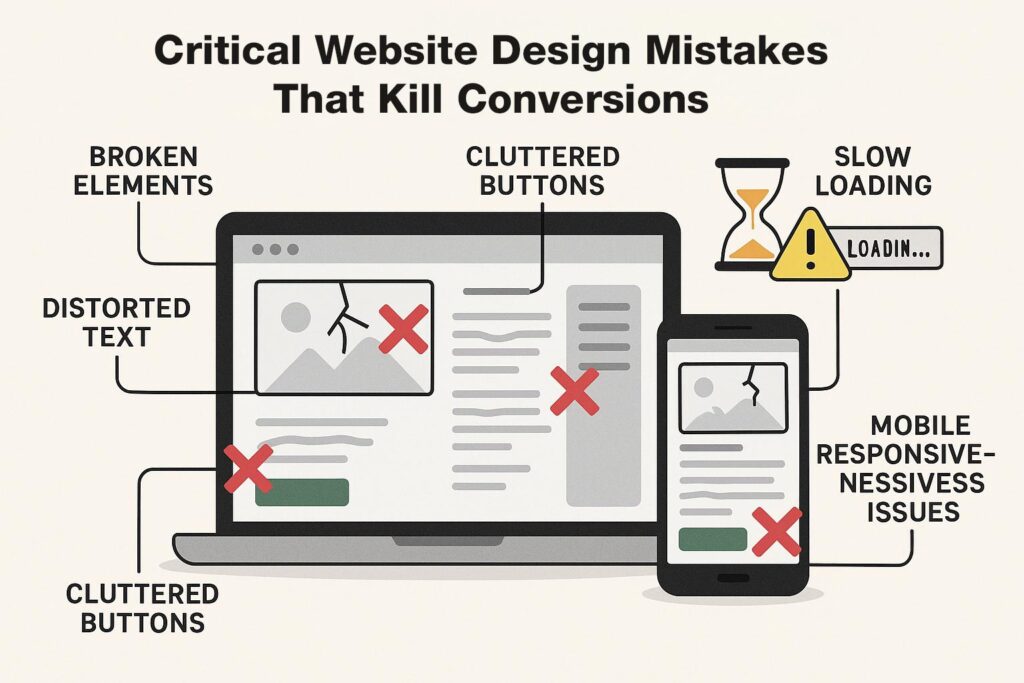
❌ 1. Cluttered Layout and Too Much Content
The Problem:
Too many elements, banners, popups, and text overwhelm visitors.
The Fix:
- Keep your layout clean and focused
- Use whitespace effectively
- Highlight only key information
👉 Simplicity = better user experience + higher conversions
❌ 2. No Clear Call-to-Action (CTA)
The Problem:
Visitors don’t know what to do next—buy, contact, or sign up?
The Fix:
- Add clear CTA buttons like:
- “Get a Quote”
- “Buy Now”
- “Contact Us”
- Use contrasting colors for CTA buttons
- Place CTAs above the fold
❌ 3. Slow Website Speed
The Problem:
Slow websites make users leave before taking action.
The Fix:
- Optimize images
- Use caching plugins
- Choose fast hosting
- Minimize scripts
👉 Speed directly impacts conversions and SEO
❌ 4. Poor Mobile Design
The Problem:
Most users visit from mobile—but your design may not be optimized.
The Fix:
- Use responsive design
- Test on multiple devices
- Ensure buttons are easy to click
👉 Mobile-friendly = more engagement + sales
❌ 5. Weak Visual Hierarchy
The Problem:
Users can’t quickly understand what’s important.
The Fix:
- Use headings (H1, H2, H3) properly
- Highlight key sections
- Use bold text and spacing strategically
❌ 6. Low-Quality Images and Graphics
The Problem:
Blurry or irrelevant images reduce trust.
The Fix:
- Use high-quality, relevant images
- Avoid generic stock photos
- Maintain consistent branding
❌ 7. Confusing Navigation
The Problem:
Users can’t find what they’re looking for.
The Fix:
- Keep menu simple and structured
- Use clear labels (Home, Services, Contact)
- Add search functionality
❌ 8. Too Many Popups and Distractions
The Problem:
Excessive popups annoy users and interrupt browsing.
The Fix:
- Limit popups to important actions
- Use exit-intent popups instead
- Keep user experience smooth
❌ 9. Lack of Trust Signals
The Problem:
Users hesitate if they don’t trust your website.
The Fix:
- Add testimonials and reviews
- Show certifications or badges
- Display contact details clearly
❌ 10. Inconsistent Design and Branding
The Problem:
Different colors, fonts, and styles make your site look unprofessional.
The Fix:
- Use consistent colors and fonts
- Follow brand guidelines
- Maintain design consistency across pages
📊 Real Impact of Fixing These Mistakes
After improving design, businesses often see:
- 📈 Higher conversion rates
- ⏱ Longer user engagement
- 📉 Lower bounce rates
- 💰 Increased revenue
🧠 Pro Tips for Better WordPress Design
✔ Focus on user experience (UX)
✔ Use minimal and clean layouts
✔ Optimize for mobile first
✔ Test your design regularly
✔ Track performance using analytics
🏁 Conclusion
Your WordPress design is not just about looks—it’s about results.
By avoiding these common mistakes, you can create a website that:
- Builds trust
- Engages visitors
- Converts leads into customers
A well-designed website is one of the most powerful tools for growing your business online.
📢 Need Help Improving Your Website Design?
If your website is not converting as expected, I can help you:
- Audit your current design
- Improve UI/UX for better conversions
- Optimize performance and layout
- Create a modern, professional website
👉 Let’s turn your website into a high-converting business asset.